


This page shows what exists today, without promises. We start with the Advisor Hub on vero.cy and continue with three VÉRO CRM screens.
The Advisor Hub
Once you sign in with an advisor account, you see the verification status of your registration number and the VÉRO CRM card: trial or plan, renewal date, the “Open VÉRO CRM” button and billing management. Below it there are three sections:
- Bookings: requests from citizens for times that are genuinely free. You confirm, decline or cancel them, with a note if you wish; the citizen is told by e-mail.
- Messages: whatever citizens send from the contact form or as a call-back request.
- Shares: tool results a citizen has sent you, the date they are available until, and whether they allow you to send them summaries.
From the Hub you also set your availability and public profile and build a client report to print.
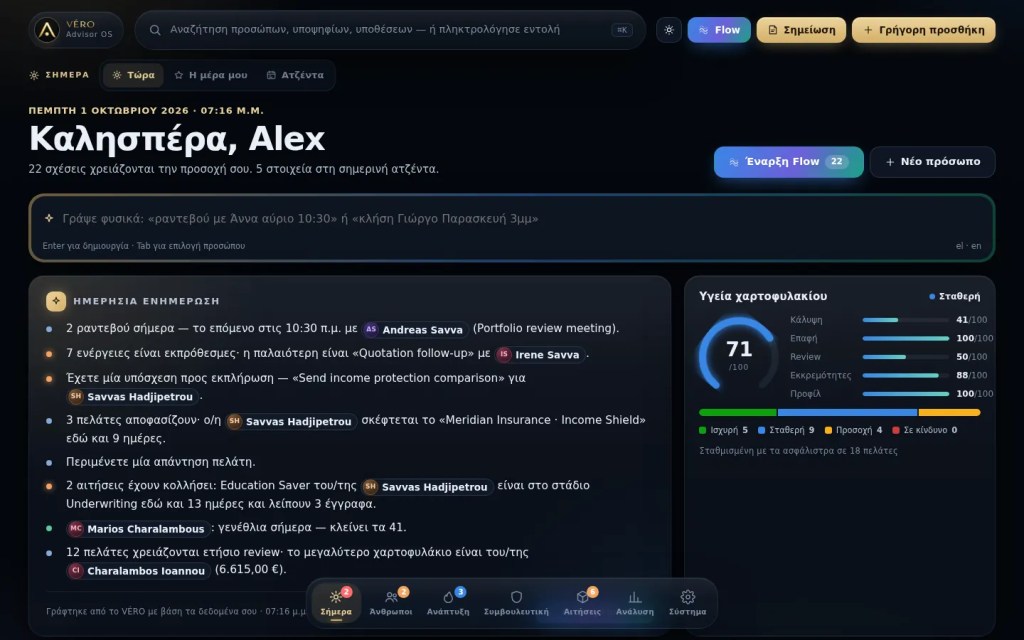
VÉRO CRM: the Today screen
The first screen every morning: appointments, tasks, reminders and anything that needs attention, each with an explanation.
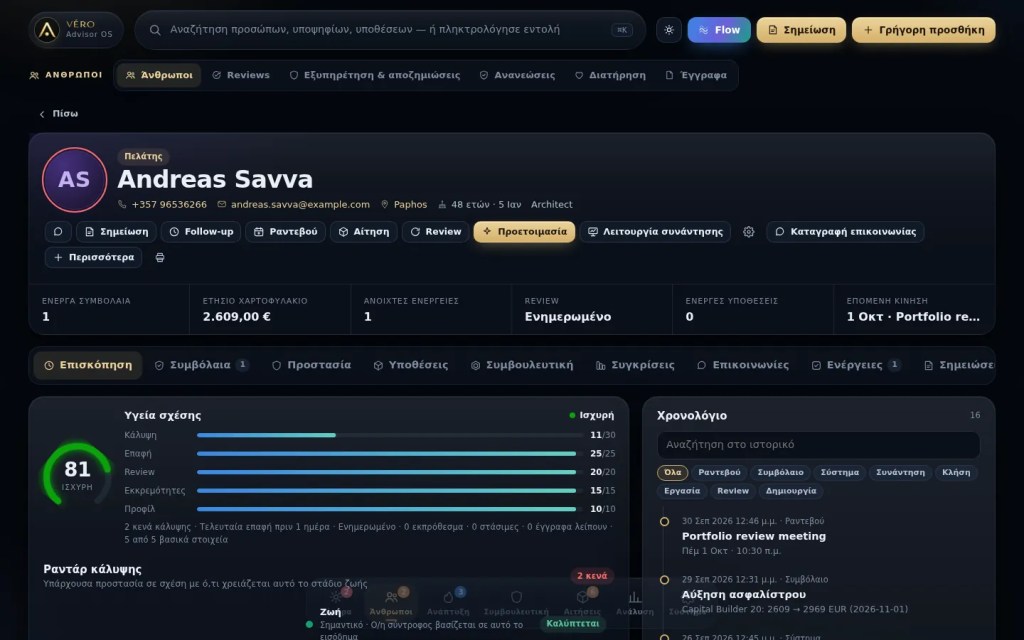
The client view
Everything about a client and their household: policies, cover, applications, documents, notes, reviews and next steps. Needs analysis, comparisons and proposals start from here.
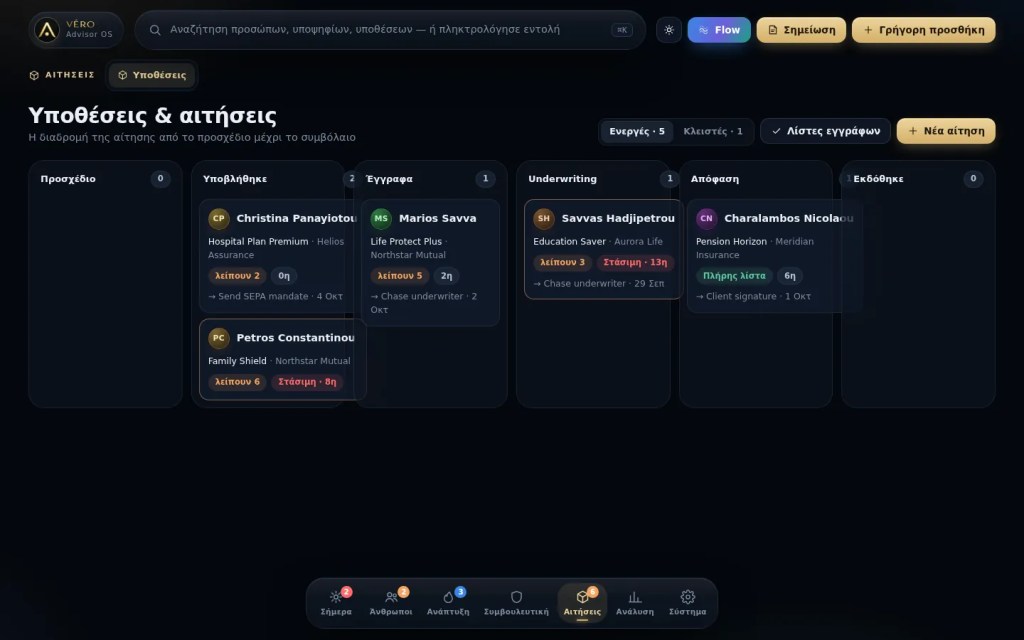
Applications by stage
Every application with its stage, the documents still missing and who you are waiting for. When something stalls, you see it before your client has to tell you.
Your first day
The first time you open VÉRO CRM, a short guide helps you choose your language and market, complete your profile, upload a logo and set goals and reminders. You can skip it and replay the tour later from Settings. If you keep contacts in a spreadsheet, you import them as a list with a preview; if you used the old VÉRO, you import its file and see what will be transferred before anything is saved.
The people, policies and amounts in the screenshots are fictitious and do not belong to real clients.
See it with your own data
The Professional trial lasts 14 days and needs no card.